




Google Business Profile and collecting reviews

Today, being present online is crucial for companies' visibility and recognition. This is especially true for companies where new customers often check reviews of services before visiting, thus learning about the offer in advance.

These opinions are often found on the Google Business profile, which Google generates itself several times based on data available online. In addition to the opinions, this profile also contains many more important elements that help make the company more visible online. More about these elements can be found in today's blog post.

What is a Google Business Profile?

Google Business profile (formerly known as Google My Business) is a free tool that allows businesses to manage their presence on the Google search engine and in the Google map. With a properly set up Google Business profile, a company can display:

  • Exact location and working hours,
  • The services it offers,
  • Contact information (e-mail, phone, website address) and links to online ordering,
  • Photographs of the company and team,
  • Customer reviews and opinions,
  • Answers to frequently asked questions,
  • Links to the company's social networks.

Given the habits of today's internet users, Google Business is often the first contact a customer has with a company.

The profile appears immediately after the user enters a word or phrase in the Google search engine that can be associated with the company’s activity (e.g., haircut → hair salon, manicure → beauty studio).

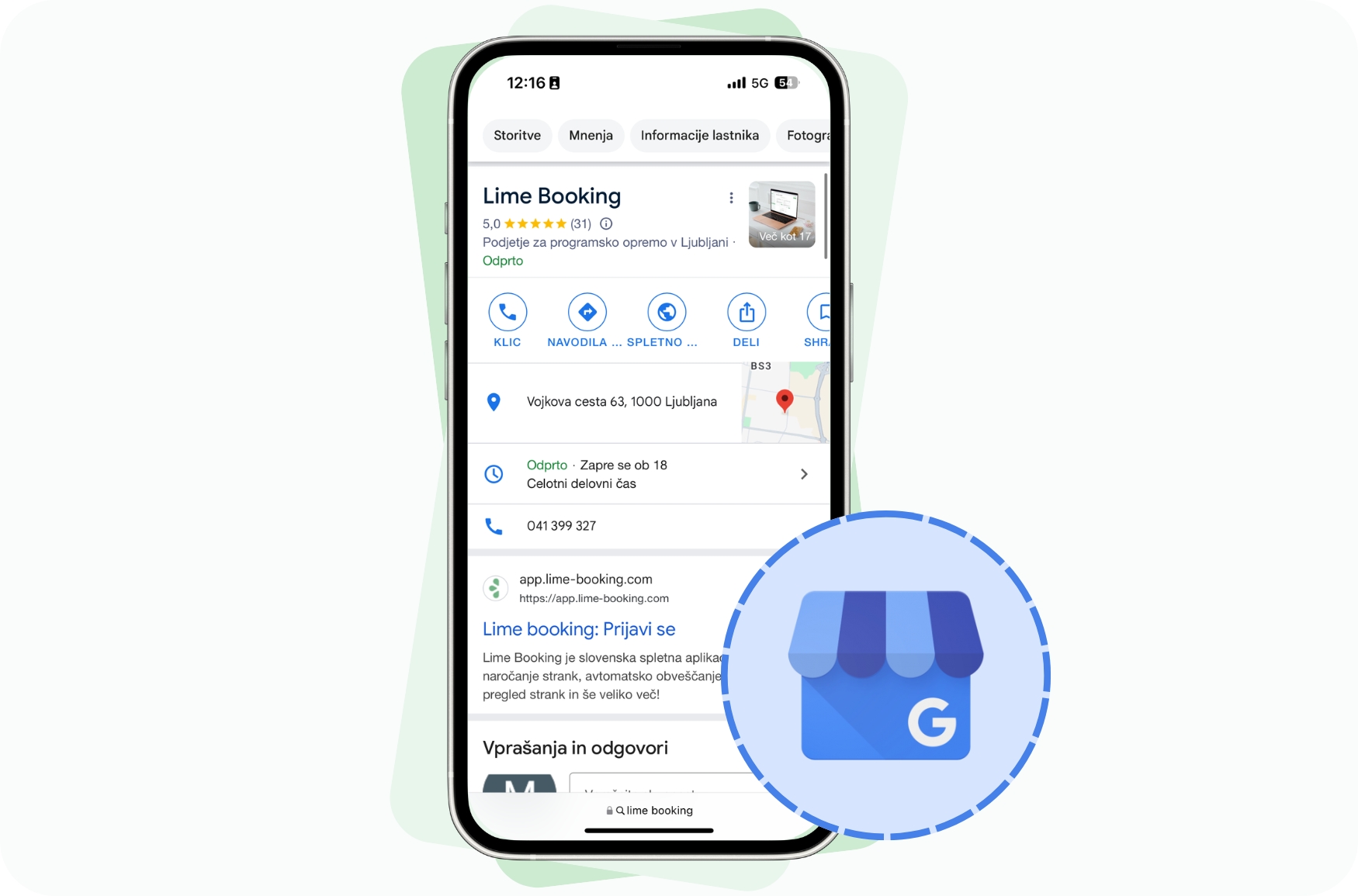
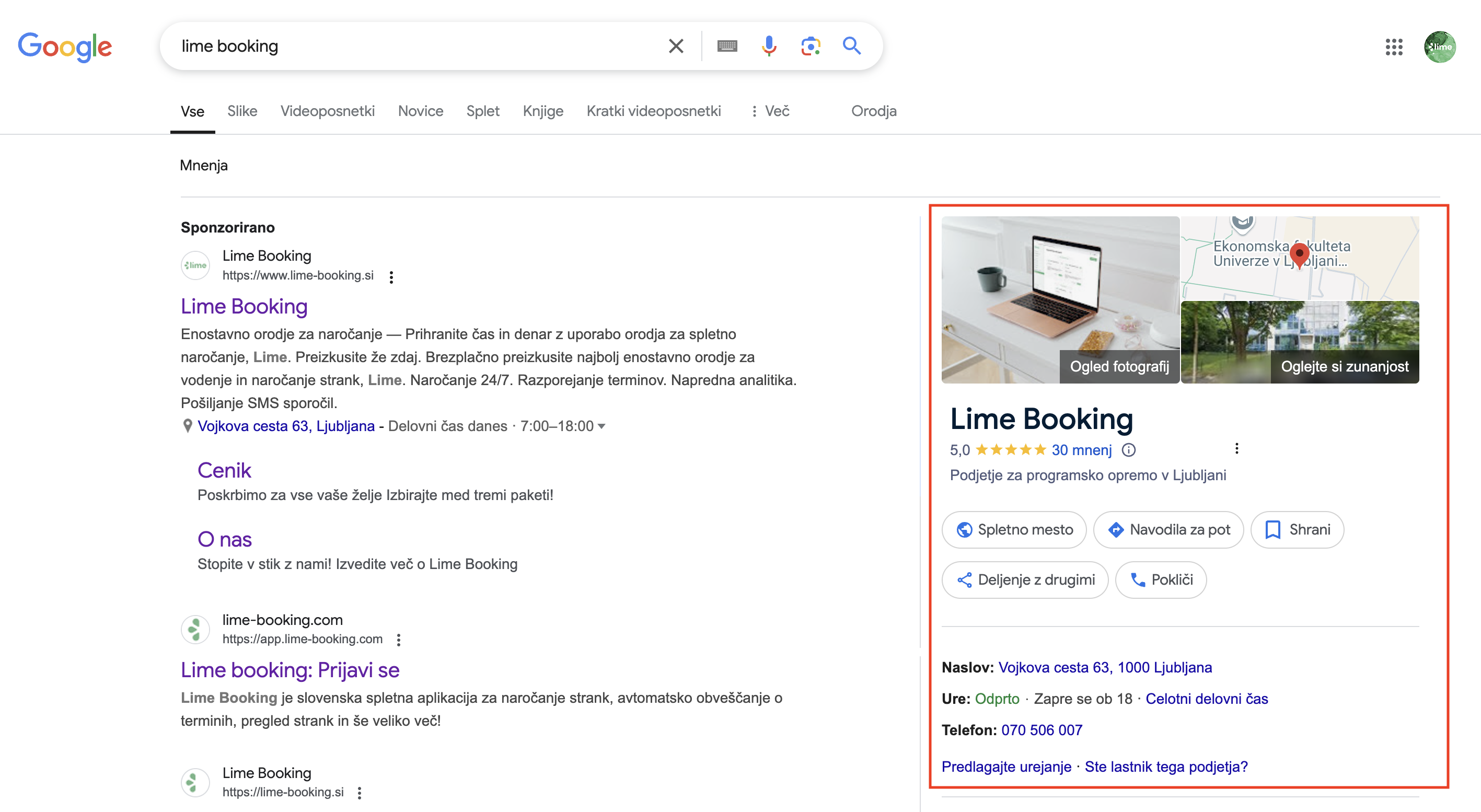
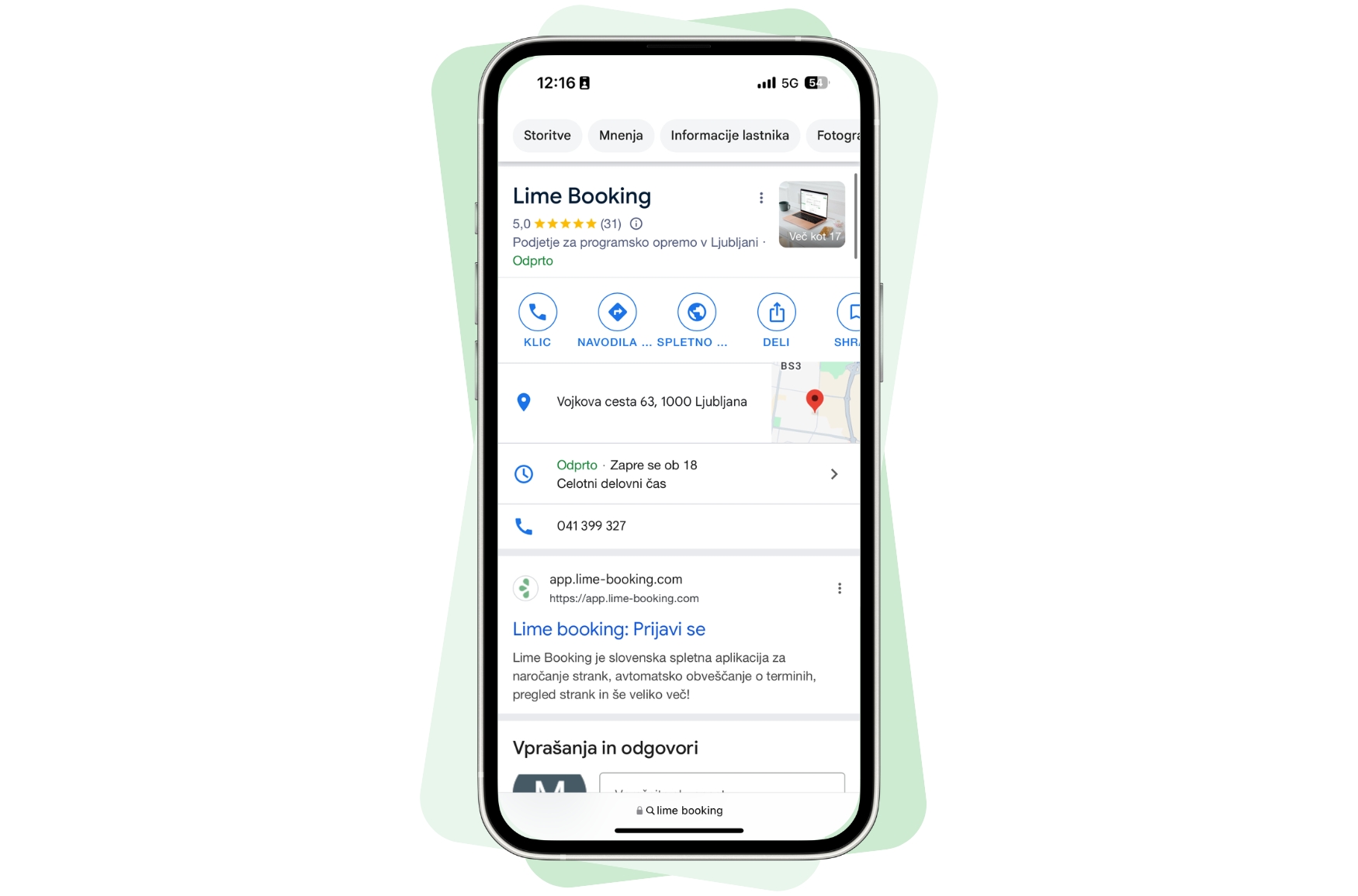
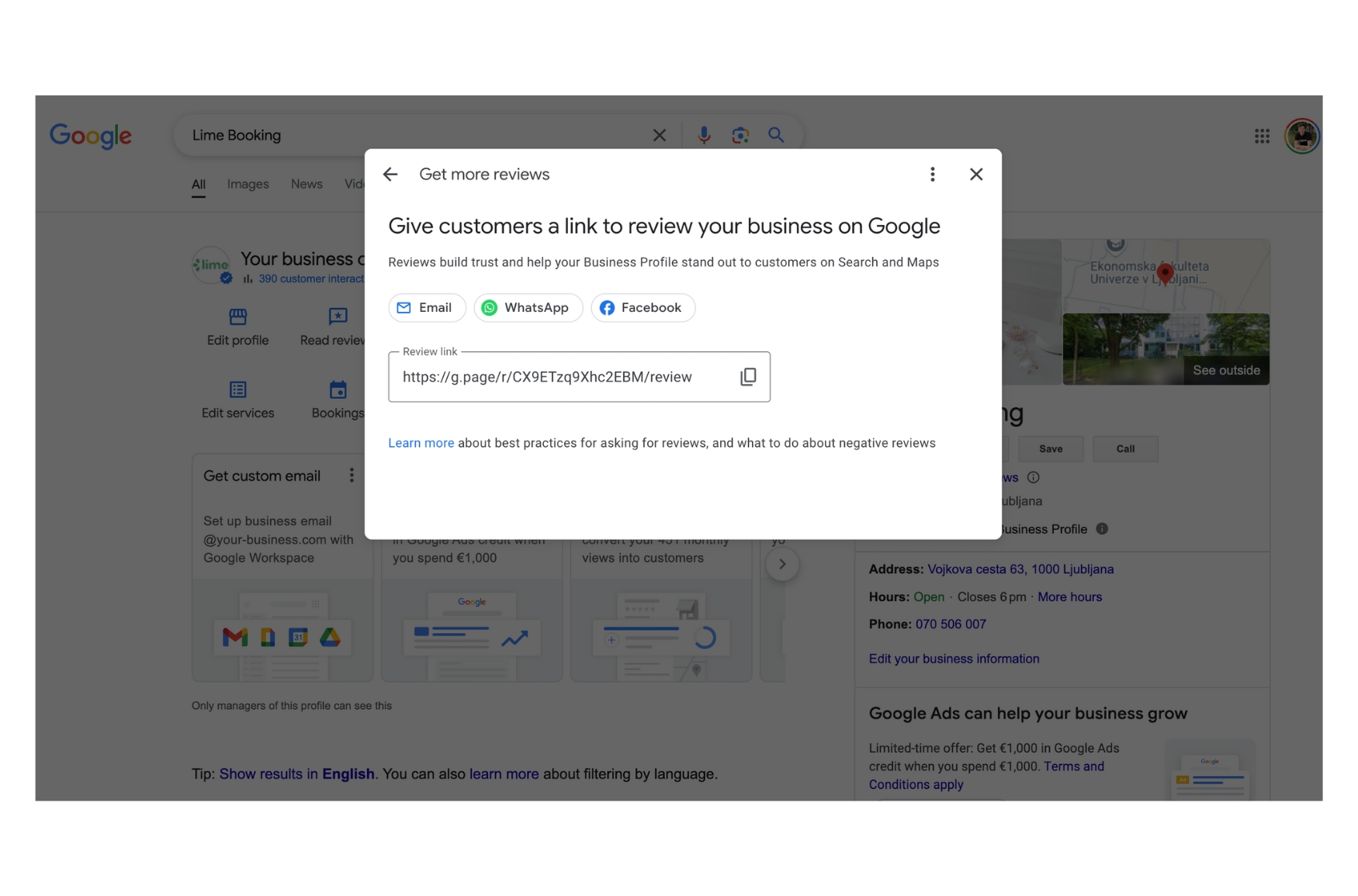
Google also prefers to display these profiles in a way that displays them in desktop mode immediately at the top right (Figure 1) or immediately on top of the results on a mobile device (Figure 2).

For this reason, it is important that the profile is highly optimized and contains up-to-date and accurate information about the company.

Figure 1: display on computer screen
Figure 2: display on mobile devices

How to create and edit a Google Business profile?

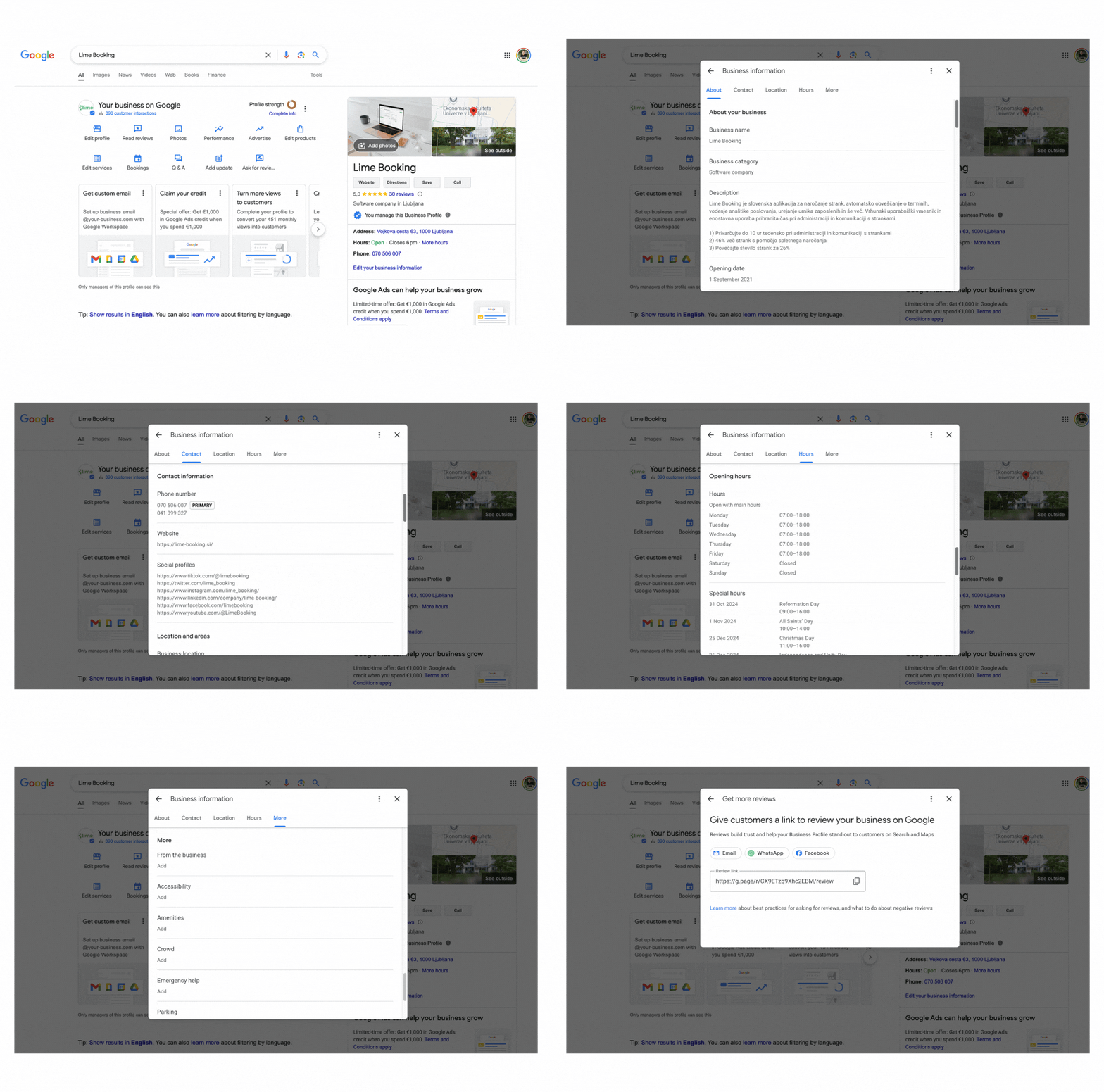
If you don't already have a Google Business Profile created, create one at this link. Next, log in to your Google account through which you will be able to manage everything related to your profile. Google guides you through the process of filling in all the information in a simple step-by-step process. To verify the company’s authenticity, Google will require you to do the following:

  1. You will need to record the location where you are located to confirm the address or,
  2. You will need to enter the code that you will receive via physical mail at the provided address.

Sometimes it happens that Google Business creates the profile itself, based on data available online. In this case, on the Business profile, click on the “Own this business?” link, which will guide you, in the event that the owner of this Business profile does not already exist, through the same process of creating a user account as described above.

You manage your Google Business profile through the Google user account you selected when creating it. When you log in to Google Workspace, you are offered the option to choose a Google Business profile, as shown in the image below.

Customer opinions on the Google Business profile

When we talk about choosing a company, they The opinions of the parties are crucial. Research shows that most people trust online reviews as much as recommendations from friends. Google reviews are so important because:

  • They increase credibilityCustomers trust other customers. The more positive reviews your company has, the more reliable and professional you will appear to new potential customers.
  • They improve visibility in search enginesGoogle algorithms take into account ratings and opinions when displaying search results. Companies with higher ratings and more reviews are more likely to appear in the top positions of search results, which increases your visibility.
  • They encourage new bookingsWhen a potential customer reads positive experiences from other customers, they are more likely to choose to book services with your company.

How to encourage customers to write reviews?

Collecting feedback can be a simple and effective process if you use the right approaches. Here are some tips on how to encourage customers to evaluate your business:

  1. Send a reminder after the visitAfter the visit is completed, you can send a friendly email or SMS to customers using the Lime Booking app to thank them for their visit and provide a link where they can leave their feedback.
  2. Include a call to actionAdd a feedback submission form to your website, emails, or even social media pages to explain to customers how important their opinions are to your business.
  3. Rewards for loyaltyOffer a small reward or discount for the next visit to those who write a review.
  4. Respond to opinionsBe responsive. Respond to positive and negative feedback professionally and respectfully. This shows that you value feedback and care about customer satisfaction.

Google Business profile and Lime Booking

The connection between a Google Business Profile and an app booking like Lime Booking can be crucial for a comprehensive user experience.

When customers see excellent reviews on your Google Business Profile, they can be directed directly to your website, where they can quickly and easily make a reservation for the desired appointment.

By using the Lime Booking app, you can automate customer notifications, send thank-you notes after a visit, and integrate feedback collection links. This ensures that the customer review process is simple and hassle-free.

Google Business profile and gathering opinions They are indispensable tools for any company that wants to be competitive in the modern digital world. Positive reviews not only increase your company's visibility but also build trust among new customers.

By optimizing your Google profile and integrating apps like Lime Booking, you can ensure that every customer visit will not only be an unforgettable experience, but also a visible recommendation for future customers.

Picture of Marcel

Marcel

Others publications

Test Lime Booking free!

Online calendar, automatic SMS notifications, online booking and much more – just one click away!