






Application update v03.02
-
Marcel
TERMINATION STATUSES
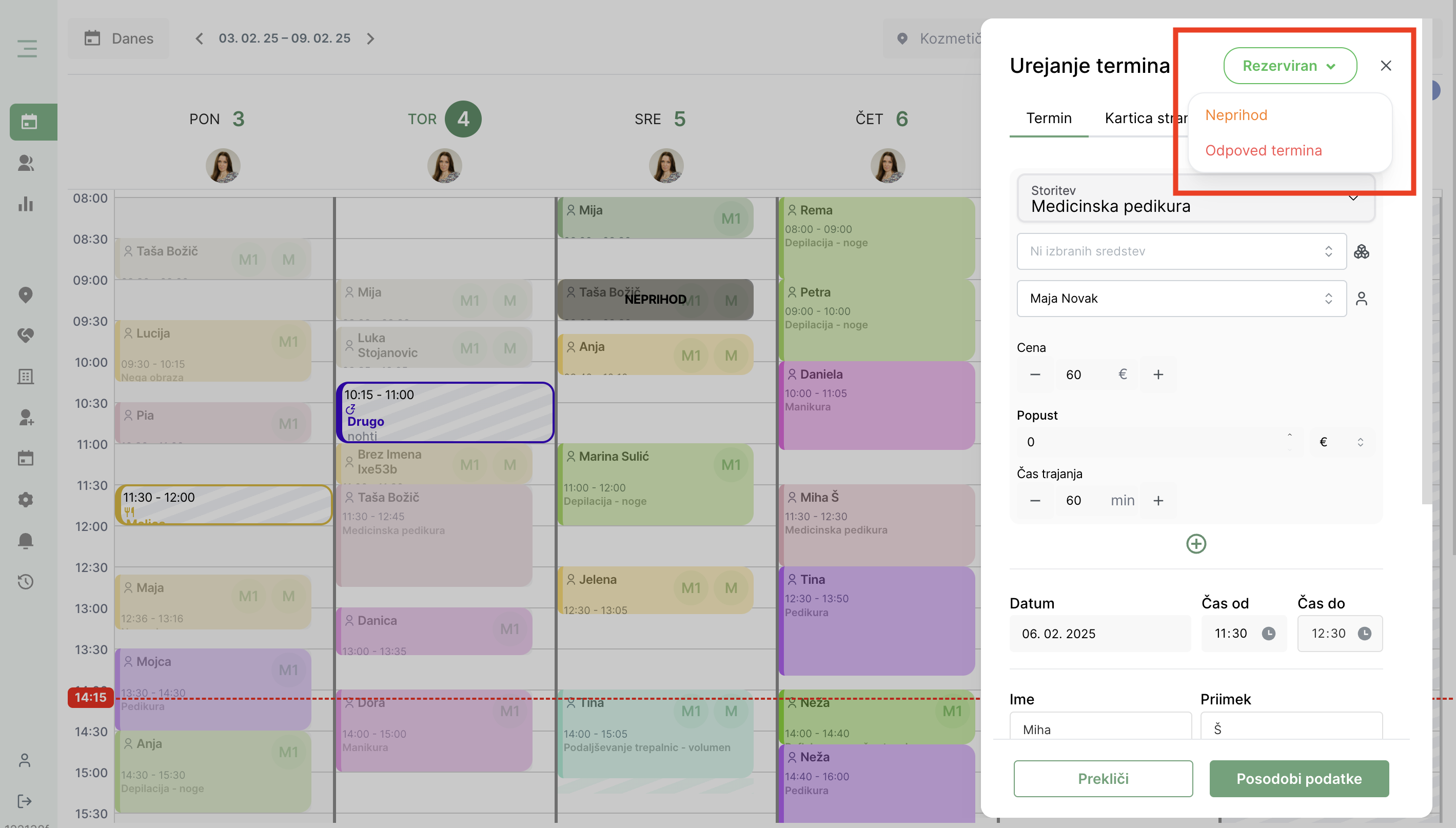
We are pleased to introduce a new functionality that makes it easier to segment appointments – Status of terms!
Now you can easily mark whether a customer came to the appointment, did not come, or delete the appointment. This feature allows you to record all this information in the customer card, which gives you a better overview of customer arrivals and departures.
How does it work?
At the end of each completed term, the status is automatically set to completed (meaning that the customer has arrived).
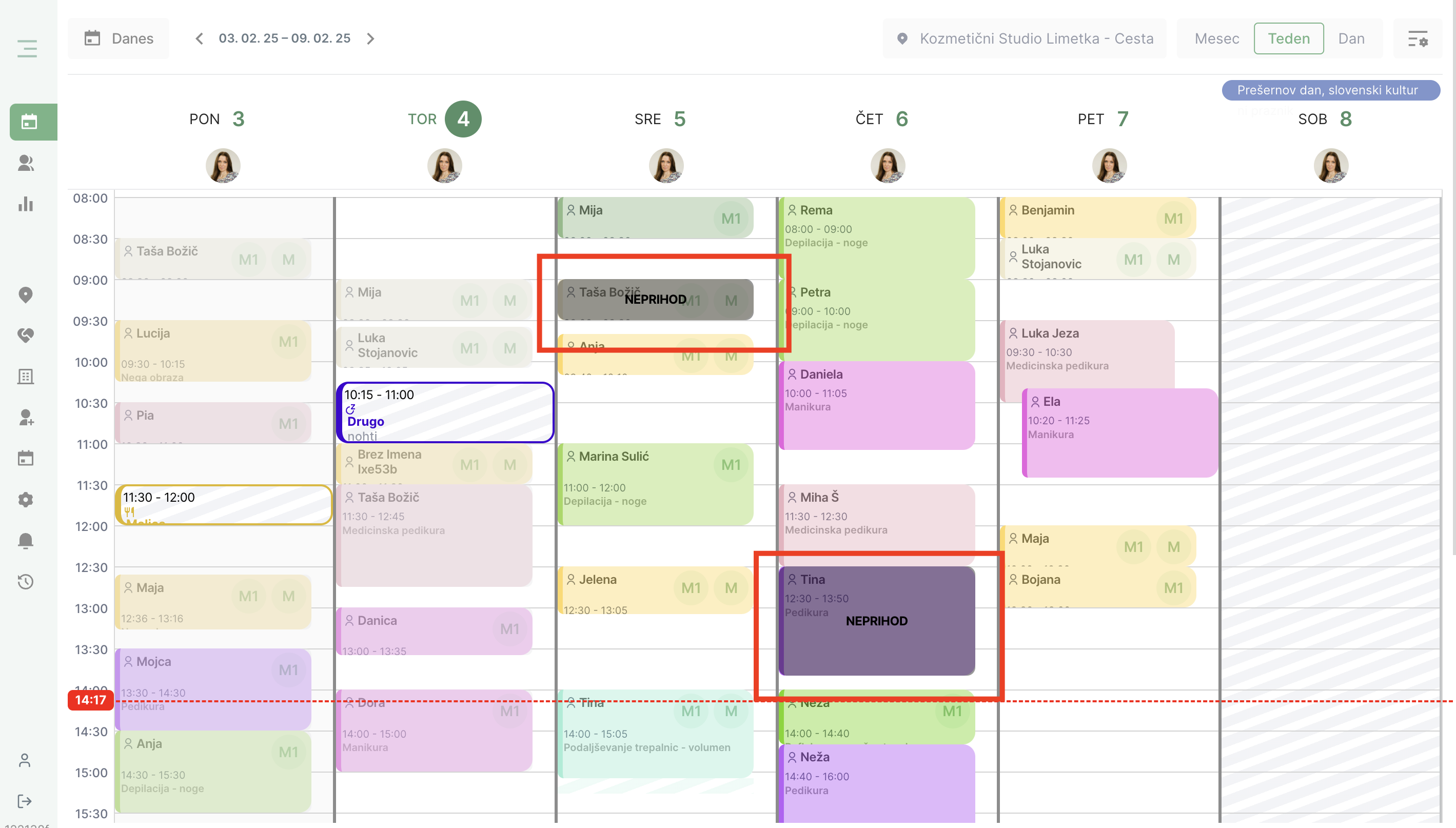
If the client does not show up, you can mark it as such with a simple click – the absence will be clearly visible in the calendar.
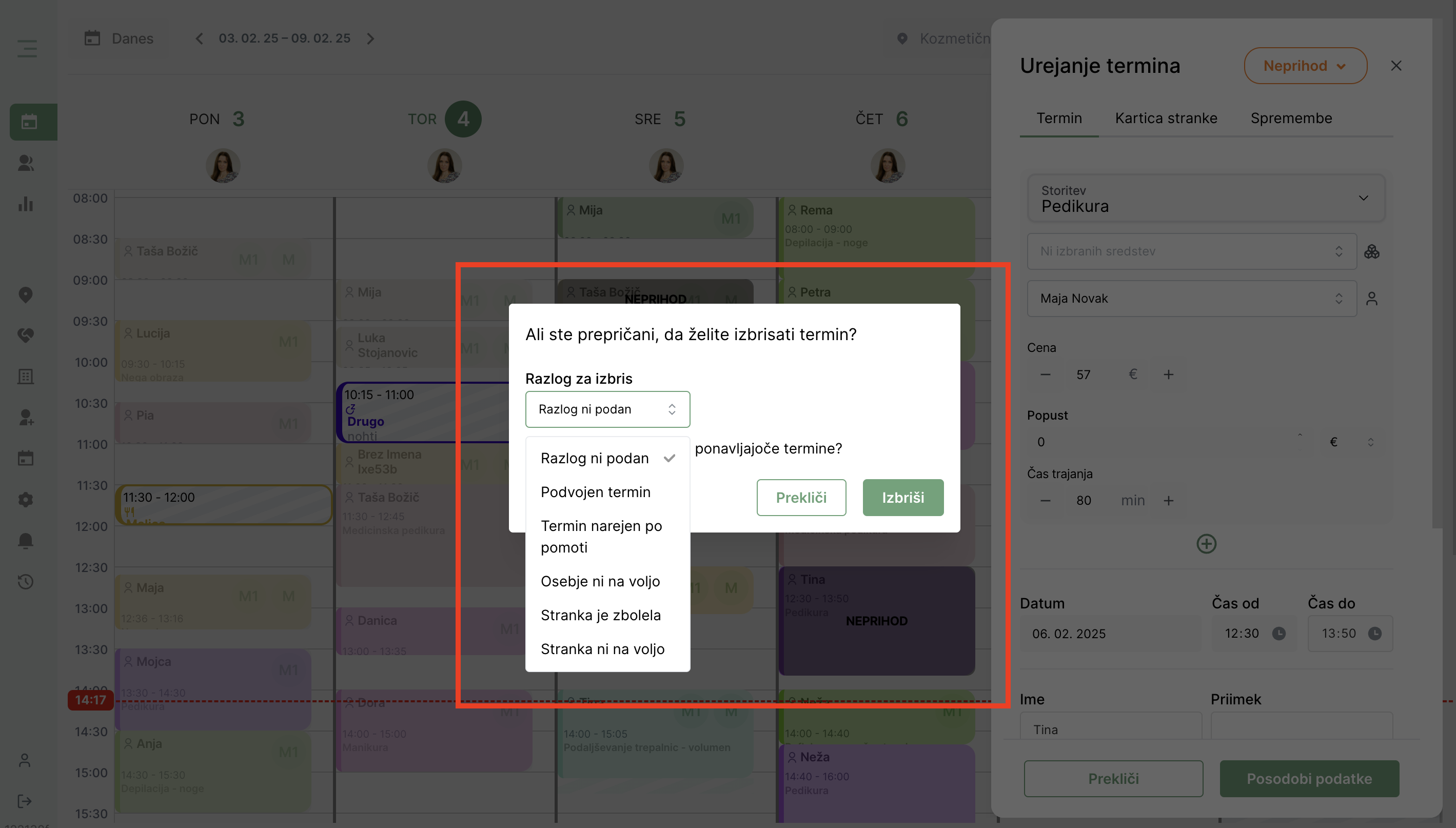
V status of appointments There is also the option to delete the term.
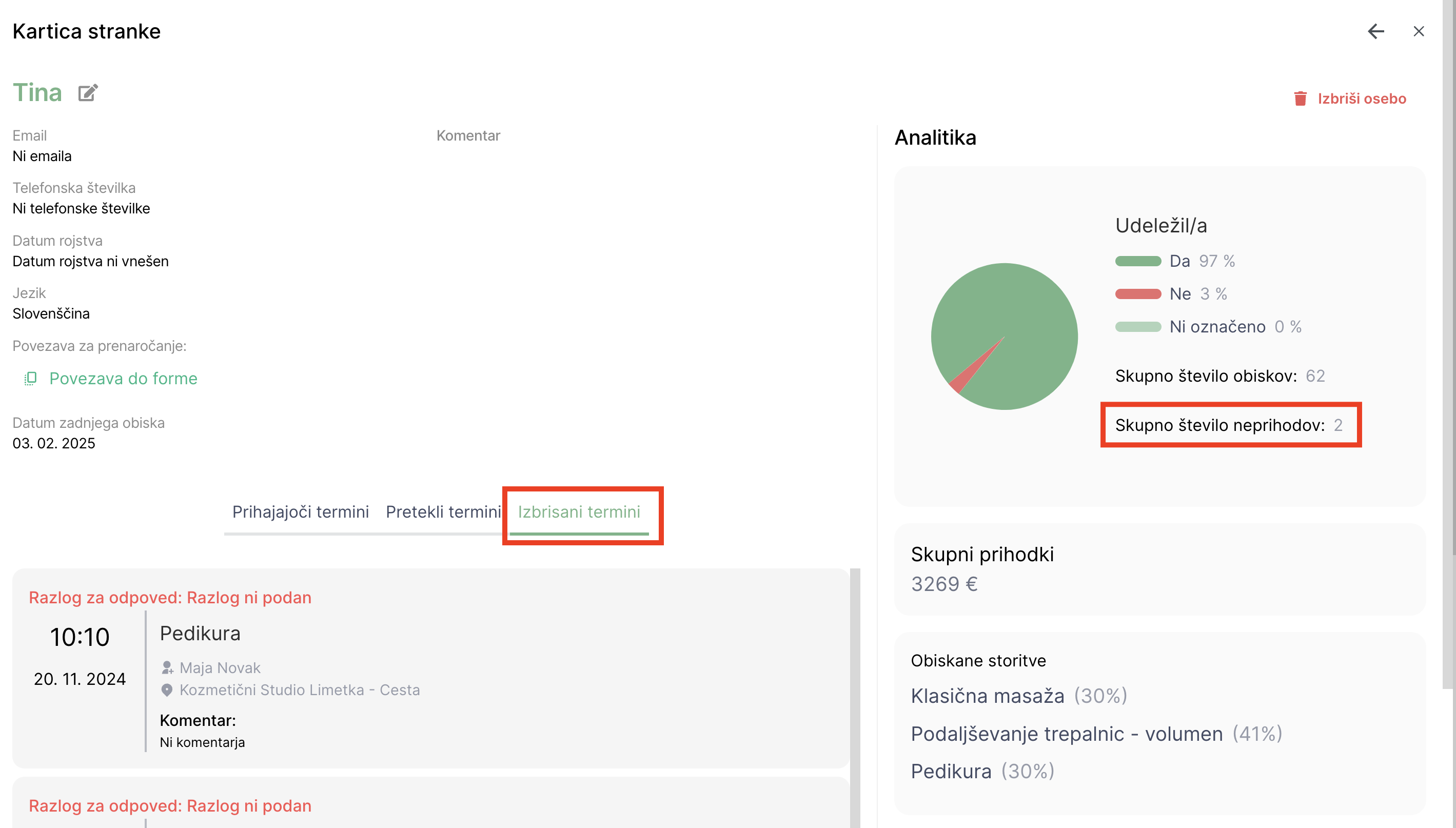
These deleted terms are stored in a new section where you can keep track of all cancelled and deleted terms.
In addition, you can also track all the customer’s non-arrivals in their ticket, where the data is visible both in analytics and for individual dates.
EXHIBITION OF LOSSES DUE TO INFRALATE
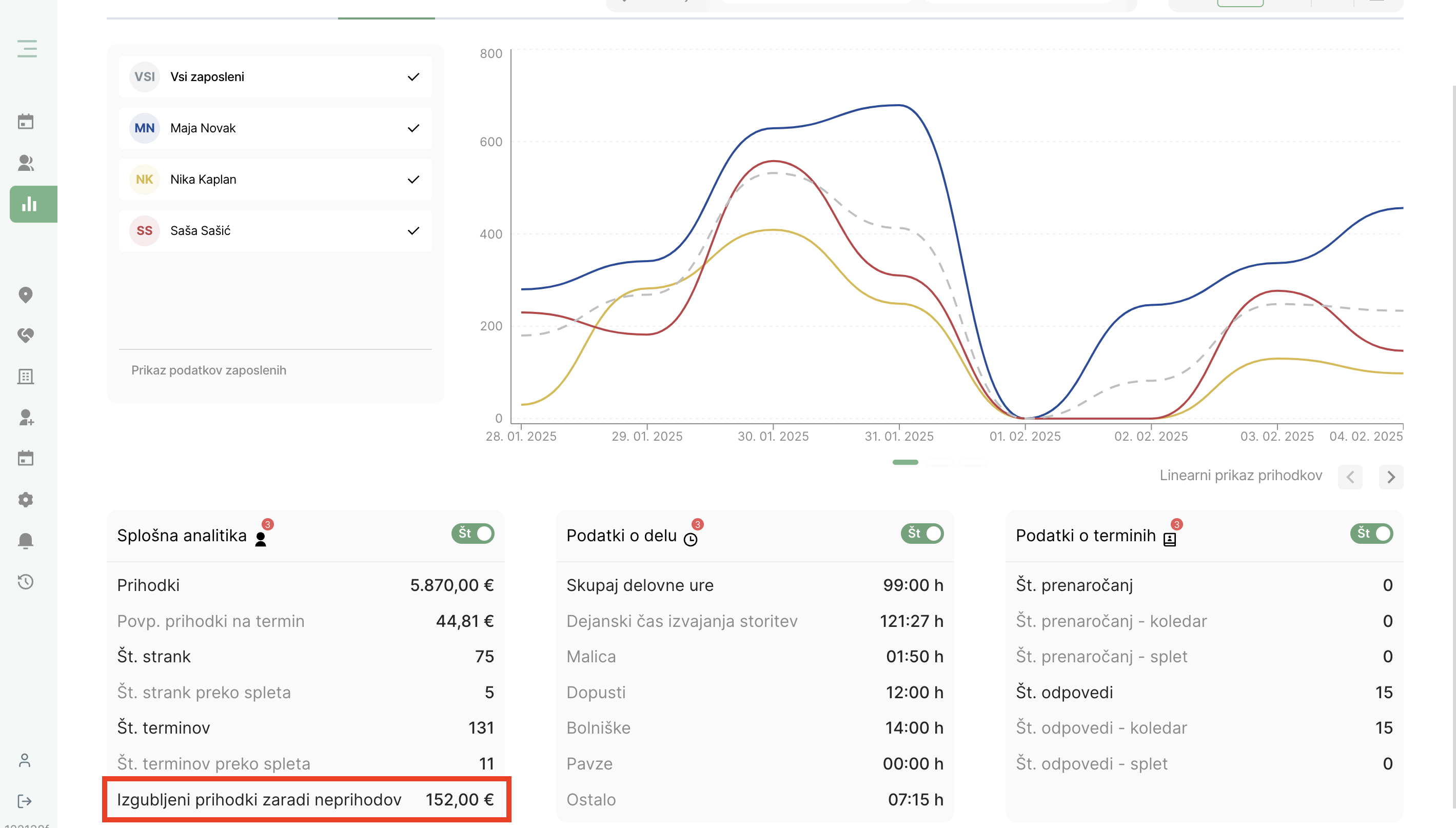
Since having a good overview of finances is crucial for successful business operations, we have added new information to the analytics that helps you assess the financial impact of customer non-payments.
Now you can easily see how much revenue you have lost due to cancelled or missed appointments. This insight allows you to better plan, optimize your schedule, and find ways to reduce lost revenue. It has proven to be an extremely effective way to reduce the impact on revenue caused by non-arrival at scheduled appointments. online payments.
An overview of the missing quota can be found in the menu under the “” tab.“”Analytics” and then in the subfolder “Employees”.
The Lime Booking team thanks you as always for your use and contribution to the development of the system. We will continue to strive to improve your ordering, management, and customer communication process with regular updates and the addition of new features!
If you encounter any questions while using it, feel free to contact us at support@lime-booking.com or on the phone number. 040 234 606.
Marcel
Others publications

How to add employee vacations in Lime Booking
Summer is holiday season. Learn how to add employee leave in Lime Booking in just a few clicks and automatically block appointments during their absence.

New feature: Waiting list — cancelled appointments are now filled automatically
New Waiting List feature in Lime Booking: clients join the waiting list for a fully booked appointment, and when a spot opens up, the system notifies them automatically. Fewer empty appointment slots.

UNIKAT: Lecturer Edis Osmanović
Join us for an event with Edis Osmanović — barber, entrepreneur and one of the most influential names in contemporary barbering culture in the Balkans.

Test Lime Booking free!
Online calendar, automatic SMS notifications, online booking and much more – just one click away!