




All information at your fingertips via the mobile app!

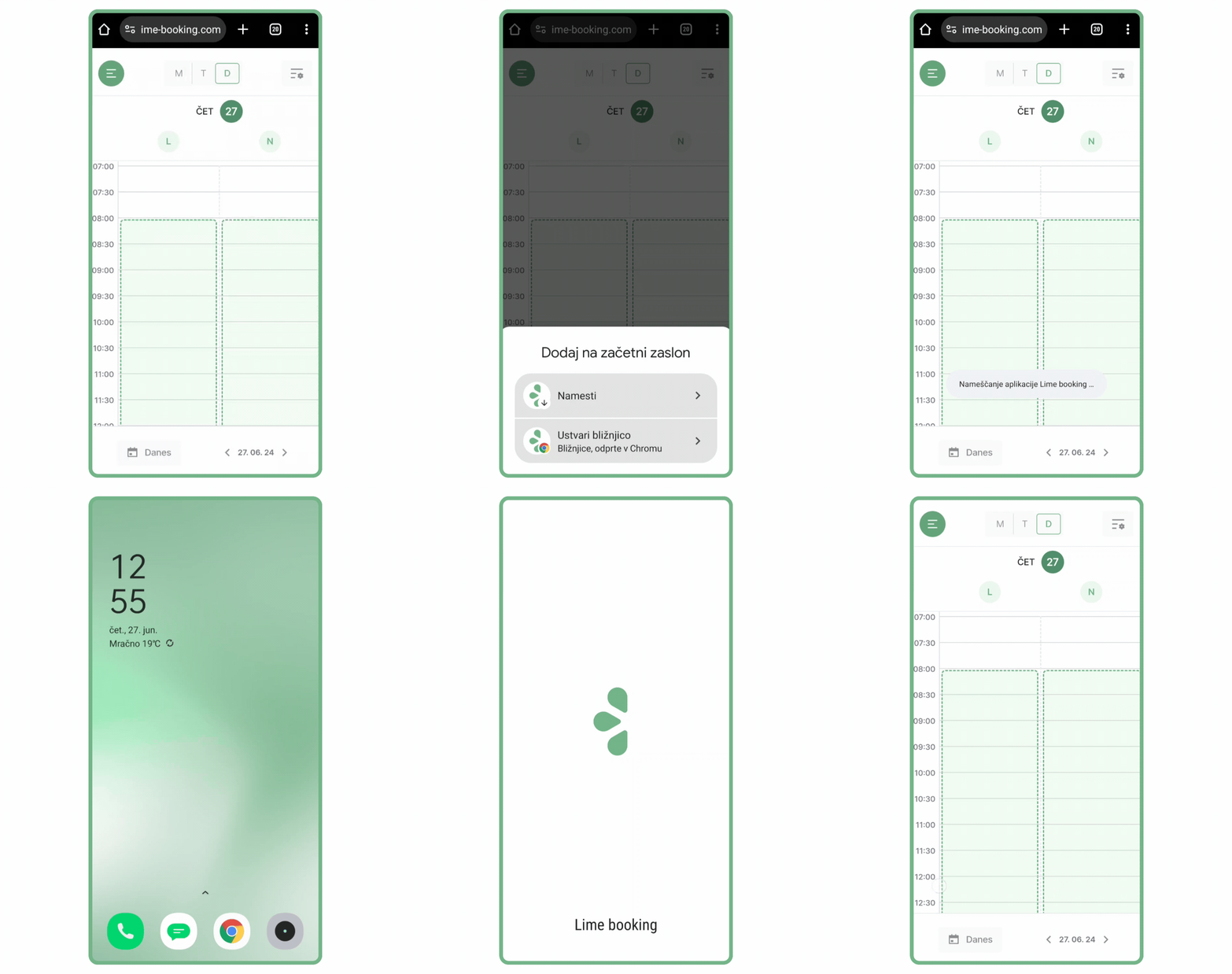
Do you want to have a complete overview of events and access the number of appointments via your mobile device? We have prepared instructions for you on how to easily add the Lime Booking app to your home screen on your mobile phone.

Adding for Apple device users

  1. Open the link: https://app.lime-booking.com/dashboard/calendar in the Safari browser.
  2. In the browser tab, click on the square with the arrow.
  3. Browse down to where you have the option. “Add to home screen”.
  4. By clicking on the button “Add” a shortcut for the application is added to the home screen.

Adding for Android device users

  1. Open the link: https://app.lime-booking.com/dashboard/calendar in your browser.
  2. Look for the 3 dots at the top right corner to open the menu.
  3. You are looking for an option “Adding to the start screen”. 
  4. Create a shortcut and select the option “Add”. 
  5. The icon will appear on your home screen.

Adding proximity for your customers

The process is the same, only they download the link that they receive in an SMS or email notification, or they download the link to your online form.

The Lime Booking team thanks you as always for your use and contribution to the development of the system. We will continue to strive to improve your ordering, management, and customer communication process with regular updates and the addition of new features!

If you encounter any questions while using it, feel free to contact us at info@lime-booking.com or on the phone number. 040 234 606

Picture of Marcel

Marcel

Others publications

Test Lime Booking free!

Online calendar, automatic SMS notifications, online booking and much more – just one click away!