





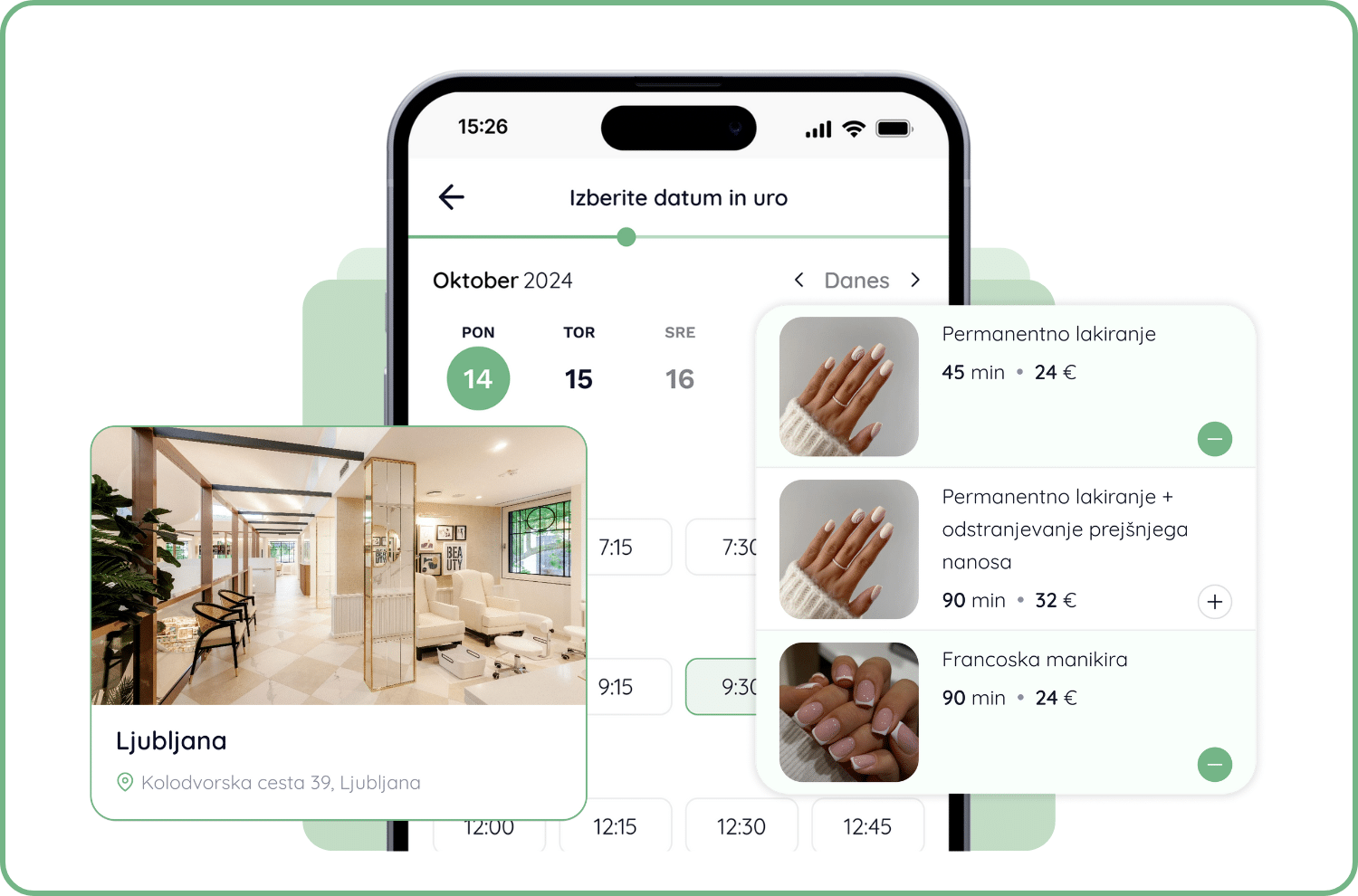
Make your online form even more personalized!
We can insert various images into your form when using services, locations, and in the background.ย
We can also add photos of the employees so that your customers know who they are ordering from. If you would like to personalize the form, please contact us atย lara@lime-booking.com.
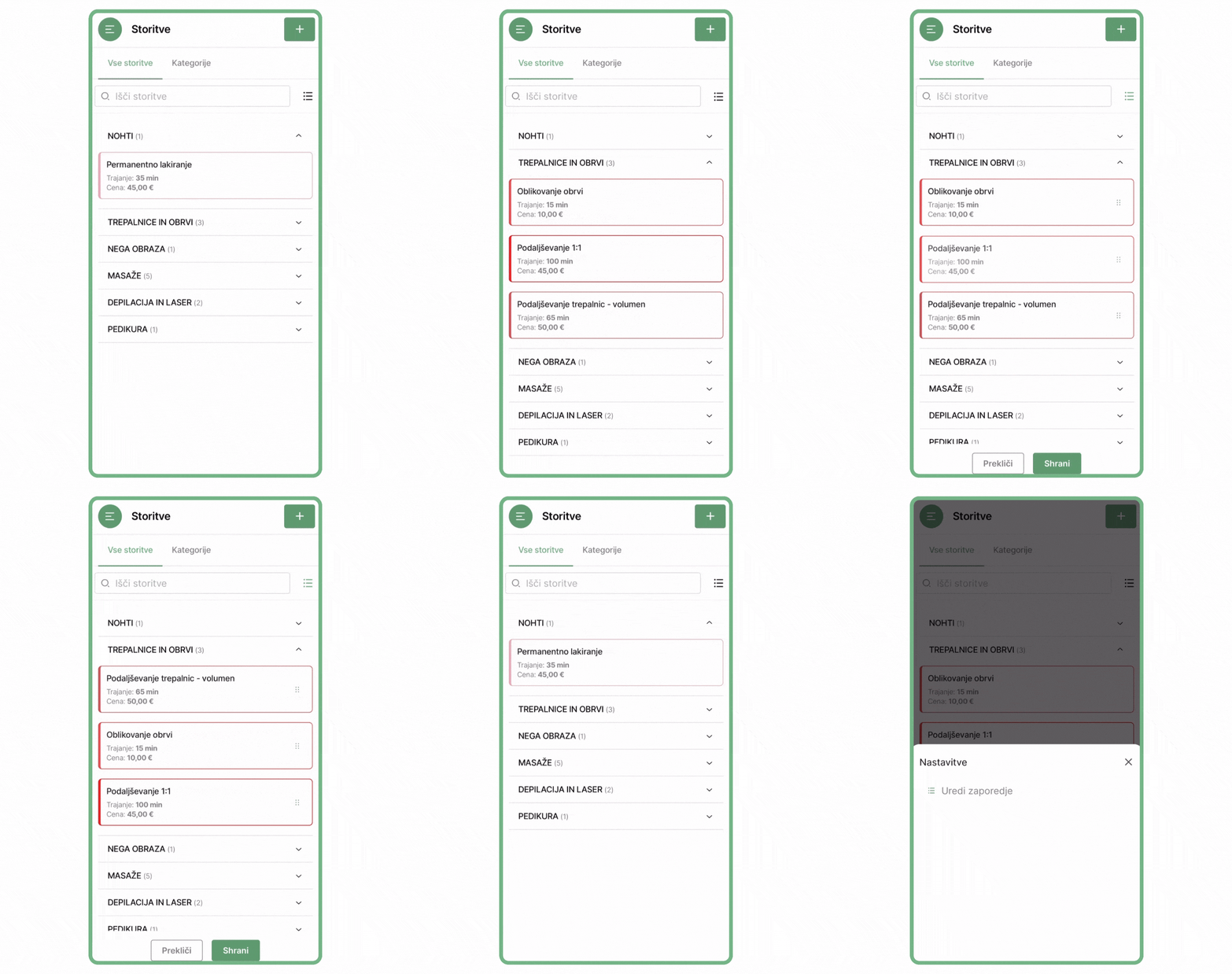
Changing the order of services
- In the upper right corner there is an icon with 3 lines.ย
- This filter contains an optionย โArrange the sequenceโ.ย
- You will see a toolbar with which you can move the services.ย
- When you are satisfied with the arrangement, just save it at the end.
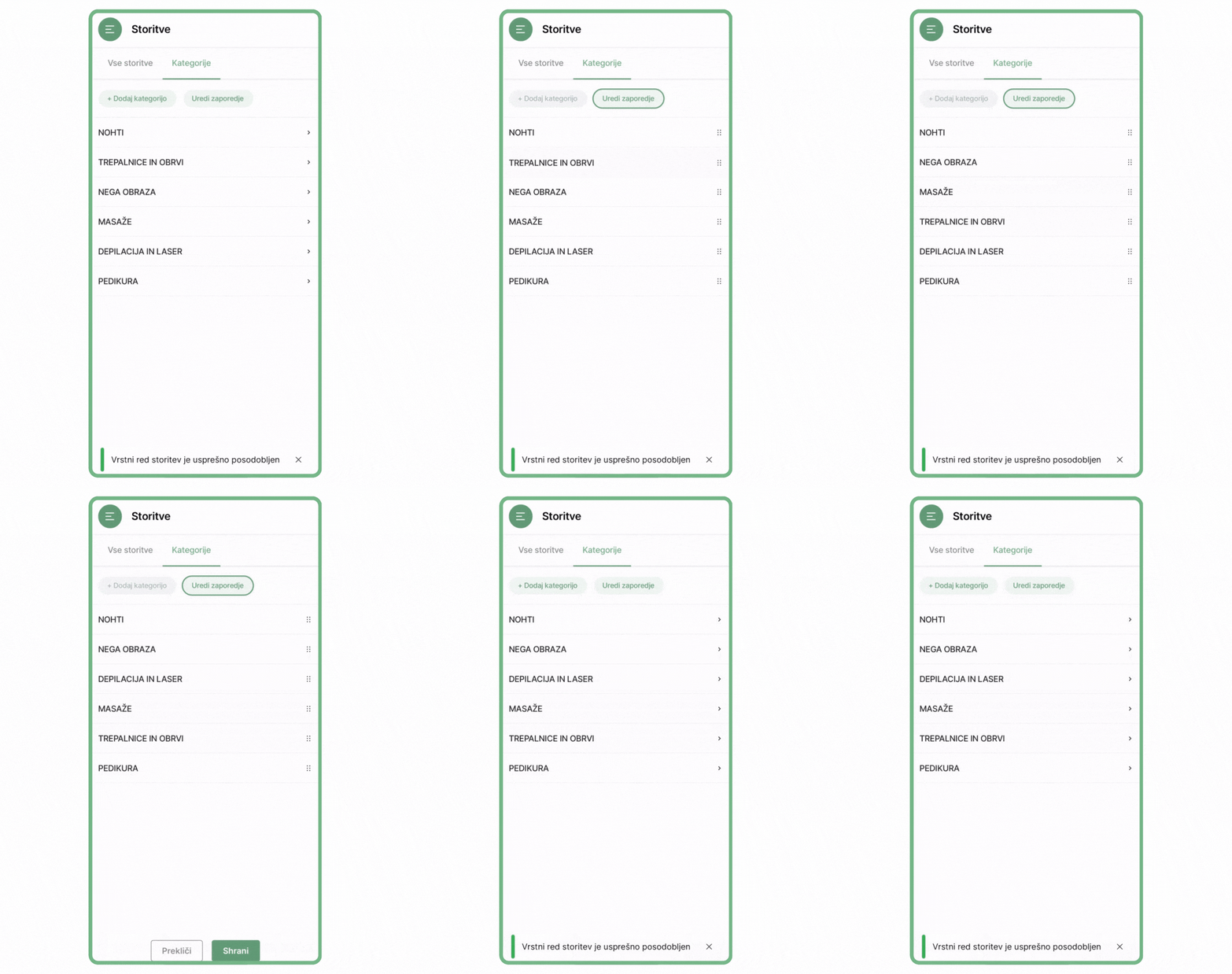
Changing the order of categories
- In the service view, we first select the tabย โCategoriesโ.ย
- An option appears at the topย โArrange the sequenceโ.ย
- In the same way, you can also categorize the services and save them at the end.
The Lime Booking team thanks you as always for your use and contribution to the development of the system. We will continue to strive to improve your ordering, management, and customer communication process with regular updates and the addition of new features!
Marcel
Othersย publications

How to add employee vacations in Lime Booking
Summer is holiday season. Learn how to add employee leave in Lime Booking in just a few clicks and automatically block appointments during their absence.

New feature: Waiting list โ cancelled appointments are now filled automatically
New Waiting List feature in Lime Booking: clients join the waiting list for a fully booked appointment, and when a spot opens up, the system notifies them automatically. Fewer empty appointment slots.

UNIKAT: Lecturer Edis Osmanoviฤ
Join us for an event with Edis Osmanoviฤ โ barber, entrepreneur and one of the most influential names in contemporary barbering culture in the Balkans.

Test Lime Booking free!
Online calendar, automatic SMS notifications, online booking and much more โ just one click away!